Python vs JavaScript: which should you learn first?
Python or JavaScript as your first language? See the same program written both ways, where each trips beginners up, and why JavaScript takes you furthest.


If you're picking your first programming language, you've probably landed on the same two names everyone else does: Python or JavaScript. Both are free, both are everywhere, and both have people insisting theirs is the obvious choice.
Short answer: learn JavaScript first. Python is a great language, and we'll be fair to it below. But JavaScript is the one language you can't go wrong with. It runs in every browser, on backend servers, and inside mobile apps. Learn it once and you can build the page, the API behind it, and the app on your phone, all without switching languages. And now that most AI-powered apps are being built in TypeScript, which is JavaScript with types, it's also your way into that world.
Python isn't a mistake. Most working developers end up using both. But if you want one language that unlocks the most doors from day one, JavaScript is it.
We teach both on Start.dev, but most of our courses are JavaScript-based, so we're biased. We'll tell you where Python wins too.
Two ecosystems, two different personalities
The languages share a lot of ideas: variables, functions, loops, conditionals, and data structures. What differs is the world each one grew up in, and how far that world has since spread.
- Python grew up in science, scripting, and automation. It's the language people reach for when they want to analyze data, write a script that renames 500 files, or train a machine learning model. It's designed to read almost like plain English.
- JavaScript grew up in the browser, and then left it. Through Node.js it powers servers and tools. Through frameworks like React Native it powers mobile apps. It's the language of the interactive web, and increasingly of everything built on top of it.
Python is a calm, general-purpose notebook. JavaScript is a Swiss Army knife that lives inside every screen you own, and can now build the knife factory too.
The same task, written both ways
The fastest way to feel the difference is to write the same small program twice. Here is a function that greets everyone in a list, in Python:
def greet_all(names):
    for name in names:
        print(f"Hello, {name}!")

greet_all(["Ada", "Grace", "Linus"])
And the same thing in JavaScript:
function greetAll(names) {
  for (const name of names) {
    console.log(`Hello, ${name}!`);
  }
}

greetAll(["Ada", "Grace", "Linus"]);
They're closer than you might expect. A few things stand out:
- Python uses indentation to mark blocks of code. JavaScript uses curly braces and semicolons. Python's approach means less punctuation to type, but it also means a misplaced space is a real error. See Indentation (opens in a new tab).
- Python's
printand JavaScript'sconsole.logdo the same job. Both languages have a way to drop variables into strings: Python's f-strings and JavaScript's template literals. - JavaScript makes you choose between
letandconstwhen you declare a variable. Python just lets you assign. - Naming conventions differ: Python developers write
greet_all, JavaScript developers writegreetAll.
If you can read one of those snippets, you can read the other. The syntax gap is small. The gap in what you can build with it is not.
What trips beginners up in each language
Every language has rough edges. Knowing them in advance saves a lot of frustration.
Python's rough edges
- Whitespace matters. Mixing tabs and spaces, or indenting one line too far, gives you an error that looks unrelated to the real problem.
- Setup can be fiddly. Installing Python, managing versions, and working with virtual environments is a common early stumbling block on a real machine.
- You can't see your work. Most early Python programs print text to a terminal. That's great for learning logic, but less exciting than seeing a button appear on a page.
JavaScript's rough edges
- Type coercion surprises. JavaScript will happily convert values between types for you, which leads to results like
"5" + 3giving"53". See Type Conversion (opens in a new tab). - Two equality operators.
==and===behave differently, and beginners reach for the wrong one. See Comparison And Equality (opens in a new tab). - Asynchronous code arrives early. The moment you fetch data or wait for a click, you meet callbacks and promises, which are harder than anything in a first Python course.
- The ecosystem is huge. Frameworks, bundlers, and package managers can make it hard to know what to learn after the basics.
Python's problems tend to be about environment. JavaScript's tend to be about the language's own quirks. Both are learnable, and JavaScript's quirks are exactly what TypeScript later smooths out.
Python vs JavaScript at a glance
| Python | JavaScript | |
|---|---|---|
| Learning curve | Gentle, reads close to English | Gentle at first, steeper once async code appears |
| Syntax | Indentation, minimal punctuation | Curly braces and semicolons |
| Where it runs | Your computer, servers, notebooks | Every browser, servers via Node.js, mobile apps via React Native |
| Instant visual feedback | Mostly text in a terminal | Buttons, colors, and animations in a browser |
| Strongest areas | Data science, machine learning, automation, scripting | Websites, web apps, full-stack, mobile apps, AI-powered apps |
| Common surprises | Whitespace errors, environment setup | Type coercion, async code, tooling choices |
| Setup to get started | Install Python, or use an online editor | A browser and a text editor |
| One language across the stack? | Backend and scripts, but not the browser | Browser, backend, and mobile |
Python is excellent at what it does. JavaScript is the one that covers the whole stack.
One language, every layer
This is the real argument for JavaScript. Once you know it, you're not locked into one corner of software:
- The browser. JavaScript is the only language browsers run natively. Every interactive page you've ever used runs on it. Start with JavaScript Basics (opens in a new tab), then make pages respond to clicks with JavaScript DOM (opens in a new tab).
- The UI layer. Frameworks like React turn that knowledge into real applications. See React Fundamentals (opens in a new tab).
- The backend. With Node.js, the same language runs your server, your API, and your database code. See Building APIs with Node.js & Express (opens in a new tab).
- Mobile apps. React Native lets you build iOS and Android apps with the JavaScript and React skills you already have.
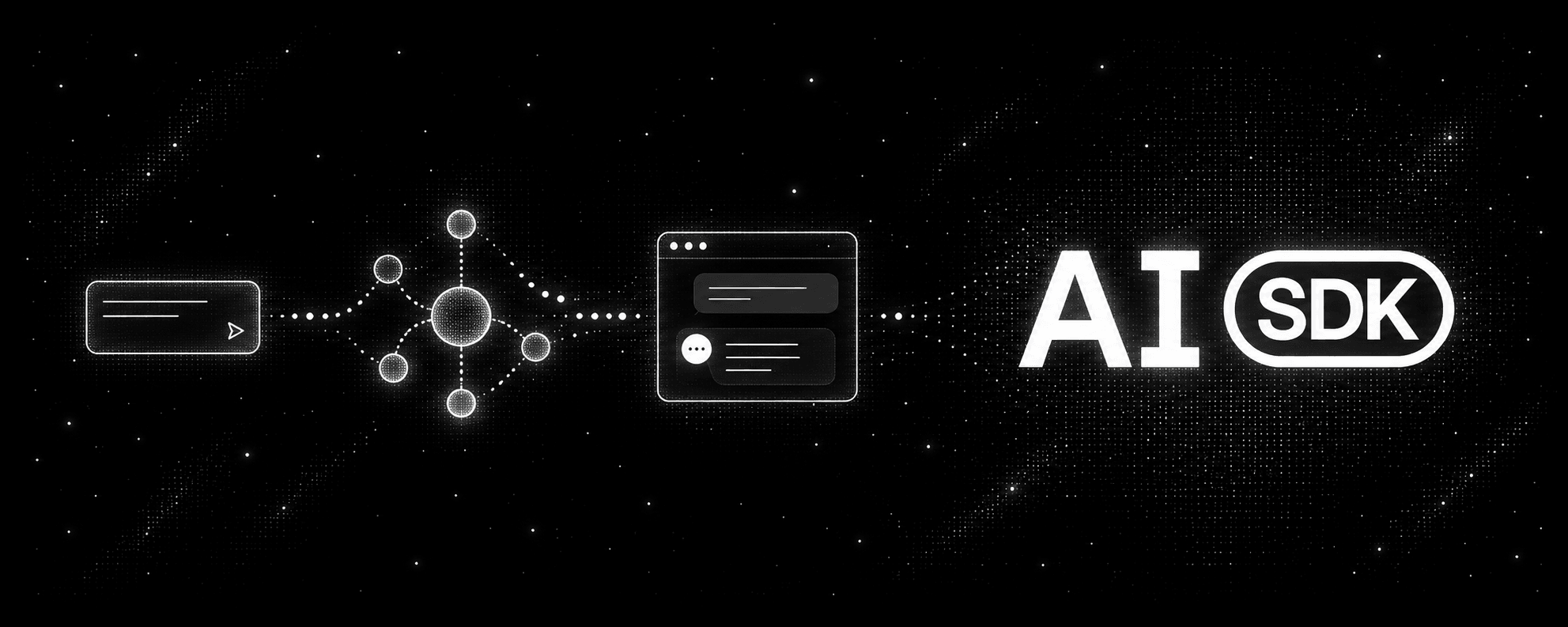
- AI-powered apps. Chat interfaces, agents, and streaming AI features are now commonly built in TypeScript, with tools like the Vercel AI SDK. See TypeScript Fundamentals (opens in a new tab) and Learn Vercel AI SDK (opens in a new tab).


That's a full-stack developer's entire toolbox, in one language. With Python you'd still need JavaScript the moment you touch a browser. With JavaScript you can ship the whole product yourself.
Where Python still wins
We're not going to pretend Python has nothing going for it. Pick Python first if:
- Your goal is data science, research, or training machine learning models. Its ecosystem for data work is the one most tutorials, courses, and tools assume.
- You want to automate boring tasks. Renaming files, scraping a page, or sorting a spreadsheet are classic first Python scripts.
- You want the gentlest possible start to learn how programming works. You can focus on logic without the browser, the DOM, or asynchronous code. Try Python for Beginners (opens in a new tab).
If none of those describe you, or you're not sure yet, JavaScript is the safer bet.
What about AI? Does it change the answer?
It makes JavaScript more attractive, not less. Training models is mostly Python territory. But the product layer around those models, the chat UIs, agents, streaming responses, and the apps people actually use, is increasingly built in TypeScript. If you want to build AI-powered products rather than train models, JavaScript and TypeScript are where that happens. The Learn Vercel AI SDK (opens in a new tab) course walks through it.
AI coding tools work well with both languages, so you won't be locked out of either. What AI doesn't change is how much you need to understand. If you can't read the code an assistant generates, you can't tell when it's wrong. For a closer look at how AI is changing language choices, read AI changed how developers choose programming languages.
A learning order that works
- Pick JavaScript and commit for 4 to 6 weeks. Switching languages in your first month is the most common way to stall. Start with JavaScript Basics (opens in a new tab).
- Learn the shared core. Variables, data types, conditionals, loops, functions, and arrays. These ideas are nearly identical in Python, so they'll transfer later.
- Build something tiny, in the browser. A guessing game, a tip calculator, or a to-do list. You get to see it working immediately.
- Add the pieces of the stack. React for the UI, Node.js for the backend, then TypeScript to make your code safer.
- Build something with AI. Once you're comfortable, try a small AI feature using the Vercel AI SDK.
- Add Python whenever you need it. Because the core ideas transfer, picking it up takes a fraction of the time.
Frequently asked questions
Is Python easier than JavaScript?
Python has less punctuation and fewer surprising behaviors in the first few weeks, so many beginners find it gentler at the very start. JavaScript is not hard to start with, though, and concepts like type coercion and asynchronous code arrive earlier than they do in Python. The extra effort pays off, because JavaScript is the language that runs in the browser, on servers, and in mobile apps.
Can I learn Python first and JavaScript later?
Absolutely. Variables, functions, loops, and data structures work the same way in both languages. But if you know you'll end up building for the web, starting with JavaScript saves you a step.
Which language pays more?
It depends on the role, not the language. Both are widely used and both lead to well-paid jobs. Data science roles lean toward Python, and web, full-stack, and mobile roles lean toward JavaScript. Check job listings where you want to work.
Which one is better for getting a first job?
Both work, but JavaScript opens more kinds of entry-level roles: front-end, back-end, full-stack, and mobile. Whichever you choose, building a few small projects will help more than the language itself.
Do I need to learn HTML and CSS before JavaScript?
It helps. JavaScript's main job in the browser is changing HTML and CSS, so knowing the basics makes it much more rewarding. Start with HTML Basics (opens in a new tab) and CSS Basics (opens in a new tab).
Can I build mobile apps with JavaScript?
Yes. React Native lets you build iOS and Android apps using JavaScript or TypeScript and React. If you've learned React for the web, most of that knowledge carries over.
Can I build AI apps with JavaScript?
Yes. Many AI-powered web apps are built in TypeScript, using tools like the Vercel AI SDK for chat interfaces, streaming, and agents. Training models is still mostly done in Python, but building products on top of them is very much a JavaScript job.
Should I learn both at the same time?
Not at first. Learning two languages in parallel doubles the syntax you have to remember while the underlying ideas are still new. Get comfortable in JavaScript, then add Python if you need it.
What about TypeScript?
TypeScript is JavaScript with added type checking, and it's what most professional JavaScript projects use today, including AI apps. Learn JavaScript first, then move to TypeScript Fundamentals (opens in a new tab) once you've felt the problems it solves.
Our recommendation
Learn JavaScript first. It's the one language that takes you from the browser to the backend to mobile apps, and it's where AI-powered products are being built today. You'll see results in the browser from day one, and every skill you add, from React to Node.js to TypeScript, builds on the same foundation.
Pick Python first only if your heart is set on data science or machine learning research. Either way, stick with one language for a few weeks and build something small before you add another. Start with JavaScript Basics (opens in a new tab) and go from there.